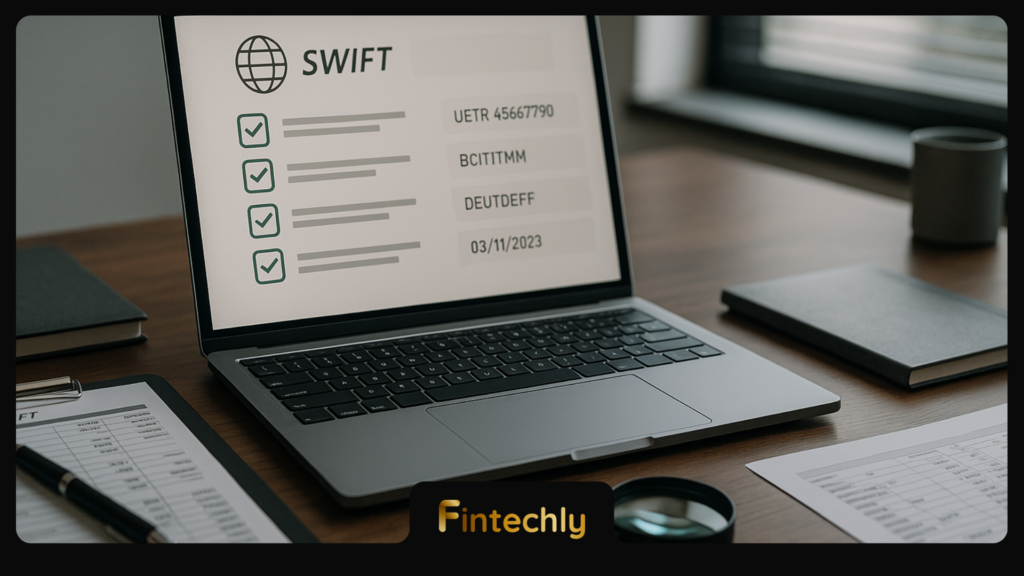
When a cross-border transfer goes quiet, the fastest way to reduce “where is my wire?” noise is to standardise the exact data you collect and share. This practical checklist shows ops teams how to track swift payment online using the fields that banks and correspondents actually use to locate, credit, reject, or return a SWIFT payment.
Why SWIFT payments are hard to track (and why the right fields fix it)
SWIFT is primarily a secure messaging network, not a single “rail” with one ledger. A single customer credit transfer can pass through multiple institutions (sender bank, correspondents/intermediaries, receiver bank), each with its own processing windows, screening controls, cut-offs, and repair queues. If you ask for updates without the identifiers those institutions index on, you’ll get slow, generic answers.
In practice, investigations succeed when you can provide: (1) an end-to-end identifier (UETR where available), (2) the correct message references, (3) the exact agent banks (BICs) involved, and (4) the settlement/value context (dates, amounts, currency, charges). Pairing this with a consistent escalation path is what makes tracking repeatable.
The non-negotiable fields to collect before you investigate
Start with a “minimum viable trace pack” that can be copied into a ticket/email to the sending bank, your banking partner, or a correspondent investigation team. If you’re missing items, your first step should be data recovery (from your payment system, bank portal, statement, or SWIFT message copy).
1) UETR (Universal End-to-end Transaction Reference)
The UETR is the closest thing to a global tracking ID for SWIFT gpi-enabled flows. It is a UUID-format identifier that can link status updates across multiple banks.
- In MT messages (e.g., MT103), the UETR is commonly carried in Field 121 (when present).
- In ISO 20022 (e.g., pacs.008), UETR is typically carried in the group header as UETR or equivalent structured element.
If you have the UETR, include it in every communication. If you don’t, don’t guess—use the sender’s message reference(s) and agent BICs to locate the payment.
For background on how SWIFT gpi tracking works and why UETR matters, refer to SWIFT gpi.
2) Sender and receiver bank identifiers (BICs)
Investigations often stall because the “receiver bank” named by a customer is not the bank that actually receives the SWIFT message (or credits the beneficiary). Capture and confirm:
- Sender bank BIC (instructing bank / ordering institution)
- Receiver bank BIC (beneficiary bank / account-holding bank)
- Intermediary/correspondent BICs if used (often the real bottleneck)
In MT103 investigations, agent chain clues typically appear in fields like 52A/53A/54A/56A/57A (when present, depending on the routing and payment model).
3) Message references that banks search on
Besides UETR, banks rely heavily on legacy references that may exist even when gpi tracking is unavailable:
- Field 20 (Sender’s Reference): the sender’s unique reference for the payment.
- Related reference(s) in investigations/returns (e.g., when an MT199/MT192/MT196/MT103 return chain is involved).
- Bank internal reference (from the sender bank portal/statement): include if you have it.
Rule of thumb: send all references you have, but label them clearly (e.g., “Field 20”, “UETR”, “Bank portal transaction ID”).
4) Amount, currency, and value date (settlement context)
To locate a payment in processing systems, banks commonly filter by amount, currency, and dates. Provide:
- Instructed amount + currency (what the customer initiated)
- Interbank settlement amount if different (FX or fee model can affect it)
- Value date (requested/settlement date)
- Creation date/time and time zone if available
In MT103, Field 32A carries value date, currency, and amount. Discrepancies here (wrong currency, wrong date, formatting issues) are frequent causes of repair or rejection.
5) Ordering customer and beneficiary details (for crediting and screening)
If the payment is stuck in compliance screening or repair, identity data is often the deciding factor. Include:
- Ordering customer (name and address; in MT103 often 50K/50F)
- Beneficiary customer (name and account/IBAN; in MT103 often 59)
Small differences (middle names, transliteration, missing address lines) can trigger manual review or a “request for information” before credit.
6) Charges and routing model (OUR/SHA/BEN)
Fees don’t just change the amount received; they can change routing decisions and repair outcomes. Capture:
- Charge bearer (often MT103 71A): OUR, SHA, or BEN.
- Fee details if available (e.g., 71F/71G where used).
If the beneficiary expects a full amount but the payment is SHA/BEN, you can get “short credit” disputes that look like missing payments.
7) Remittance information (the “why” of the payment)
Remittance data affects beneficiary matching and can be required for local regulations. Provide:
- Remittance / purpose of payment (often MT103 70)
- Sender-to-receiver information (often MT103 72)
Overly long, unstructured, or non-compliant remittance text can trigger truncation or repair. If the beneficiary claims “we can’t identify the payment,” remittance data is where you start.
Where to find these fields (MT103 vs ISO 20022 quick map)
Ops teams often receive different artifacts: a bank portal confirmation, an MT103 copy, or an ISO 20022 payment message extract. Use this map to locate what you need quickly.
| Tracking need | MT103 (common field) | ISO 20022 pacs.008 (common element) |
|---|---|---|
| End-to-end tracking ID | Field 121 (when present) | UETR (GroupHeader or equivalent) |
| Sender reference | Field 20 | InstrId / EndToEndId (varies by implementation) |
| Settlement date & amount | Field 32A | IntrBkSttlmDt / IntrBkSttlmAmt |
| Sender/receiver banks | 52A/57A (and others depending on routing) | DbtrAgt / CdtrAgt (BICFI or clearing IDs) |
| Beneficiary info | Field 59 | Cdtr / CdtrAcct |
| Charges model | Field 71A | ChrgBr |
As ISO 20022 adoption increases across cross-border messaging, field naming and structure become more consistent. For a primer on ISO 20022 and its message approach, see the ISO 20022 official site.
A practical investigation workflow for ops teams (step-by-step)
Use this workflow to reduce ping-pong between teams and banks. The aim is to (1) establish what “done” means (credited vs settled vs returned), (2) identify where the payment is in the chain, and (3) apply the right next action.
Step 0: Define the status you need (credited, settled, or returned)
Different stakeholders mean different things by “received.” Clarify upfront:
- Credited: beneficiary account balance updated and usable.
- Settled: interbank settlement completed (can happen before or after credit depending on models).
- Returned: funds sent back (may take days and may be partial due to fees).
Step 1: Assemble the trace pack (copy/paste-ready)
Create a standard block in your ticketing system with these labels:
- UETR: [value]
- Sender’s Reference (Field 20): [value]
- Amount/Currency: [value]
- Value Date: [value]
- Ordering Customer: [name]
- Beneficiary: [name + IBAN/account]
- Sender Bank BIC: [value]
- Receiver Bank BIC: [value]
- Intermediary/Correspondent BICs (if known): [values]
- Charges (OUR/SHA/BEN): [value]
- Remittance (Field 70) / Notes (Field 72): [value]
Standardising this “money movement” context also makes it easier to coordinate with compliance and treasury; it aligns with the broader discipline described in cross-border payment tracking and compliance operations.
Step 2: Check for the most common internal causes (before contacting the bank)
Many “missing SWIFT payments” are internal issues that look external. Validate:
- Duplicate payment prevention: was it stopped/queued due to a duplicate reference or amount?
- Sanctions/AML queue: is it in a screening hold awaiting review?
- Formatting repairs: beneficiary bank details invalid, missing address, or unsupported characters?
- Cut-offs and holidays: value date fell on a non-banking day in the receiving jurisdiction?
Investigation speed improves when payment ops, compliance, and data teams share a consistent view of identifiers and event logs—an approach that mirrors the benefits of integrated data sources for payment investigations.
Step 3: Use the right question for the right party
Ask questions that match who can actually act:
- Sending bank (or your banking partner): “Provide gpi status updates for UETR X” or “Confirm message was released and provide MT103 copy.”
- Correspondent/intermediary bank: “Confirm whether funds were received and forwarded; provide timestamps and next agent.”
- Receiving/beneficiary bank: “Confirm whether message/funds received; if not credited, state reason (compliance hold, repair, rejected).”
If you only ask the receiver bank “Did you get it?” without UETR/reference and value date, they may not be able to locate it—especially if the beneficiary name differs from the account title or if funds are sitting in a suspense account.
Step 4: Determine which scenario you are in (and act accordingly)
Most cases fall into one of these buckets:
- In transit: sender released, but intermediary processing not complete. Action: request gpi status updates; confirm next agent in chain.
- On hold for compliance: screening hit at any bank in chain. Action: provide requested KYC/purpose documents; correct missing address/name data.
- Repair needed: invalid beneficiary bank details/IBAN, mismatched name, or local format issue. Action: send corrected beneficiary details; avoid changing multiple fields at once.
- Credited but disputed: beneficiary received less due to charges/FX. Action: reconcile with charges model (OUR/SHA/BEN) and bank advices.
- Returned/rejected: funds on the way back. Action: obtain return reason and expected timeline; warn about fee deductions.
Step 5: Escalate with complete, structured evidence
If an investigation goes beyond your normal SLA, escalate using structured facts rather than narrative. Include:
- Identifiers: UETR + Field 20 + bank portal ID
- Chain: list the BICs in order (known/assumed)
- Timeline: sent time, value date, last known status time
- Clear ask: “Confirm current location and next action required to credit/return”
Ops tip: If you want faster responses, state the specific outcome you need (credit, repair, recall, or return) and include the UETR and value date in the first two lines of your message.
Common pitfalls that slow down SWIFT payment tracking
Avoid these patterns—they drive long email chains and inconclusive bank replies:
- Using only beneficiary name and amount: too many matches; banks need references and dates.
- Ignoring charges model: “missing funds” may be fees or FX spread rather than a missing payment.
- Not confirming the correct receiver bank: payments can route to correspondents, not the branch the customer expects.
- Sending partial corrections repeatedly: each change can reset processing; batch corrections carefully.
- Assuming real-time behaviour: many SWIFT flows are batch-processed; statuses can lag business hours.
Operational checklist: what to ask for (and what to store) every time
Turn tracking into muscle memory by building this into your runbooks and payment intake forms.
- Always store: UETR (if available), Field 20 reference, value date, amount/currency, sender/receiver BICs, beneficiary IBAN/account, charges model.
- Store when available: intermediary BICs, MT103 copy, sender bank portal transaction ID, remittance/purpose text.
- During investigation: last known gpi status, bank timestamps, hold reason code/text, and any documents requested.
If your organisation is scaling volumes, consider how tracking expectations will change as the industry evolves; the strategic context in the future of cross-border payments can help frame which capabilities to invest in (visibility, data quality, and exception handling).
FAQs
What is the fastest way to locate a SWIFT payment?
The fastest path is to provide the UETR (if available) plus the sender’s reference (Field 20), value date, amount/currency, and the sender/receiver BICs. With those, banks can typically locate the payment in gpi tooling or internal processing systems.
Can I track every SWIFT transfer with a UETR?
No. UETR availability depends on bank capability and message format/implementation. If UETR is missing, use Field 20, the MT103 copy, and the agent chain (BICs) to trace.
How long should SWIFT payment investigations take?
Timelines vary by bank, corridor, and whether intermediaries are involved. Straight-through cases can resolve quickly; repairs, compliance holds, or returns can take days. Your best lever is submitting a complete trace pack at the first touch and keeping the ask specific (credit vs return vs repair).
What does “value date” mean for tracking?
Value date is the date used for interest/settlement context and is often a key filter when banks search for a payment. A value date on a holiday or weekend in a relevant jurisdiction can shift processing to the next banking day.
Bottom line
To track a SWIFT payment reliably, stop treating it like a generic “wire status” problem and start treating it like a data retrieval and routing problem. If you standardise on UETR/references, BICs, value date, amounts, parties, and charges—and follow a consistent investigation workflow—you’ll resolve exceptions faster and cut down on repeated outreach across the correspondent chain.