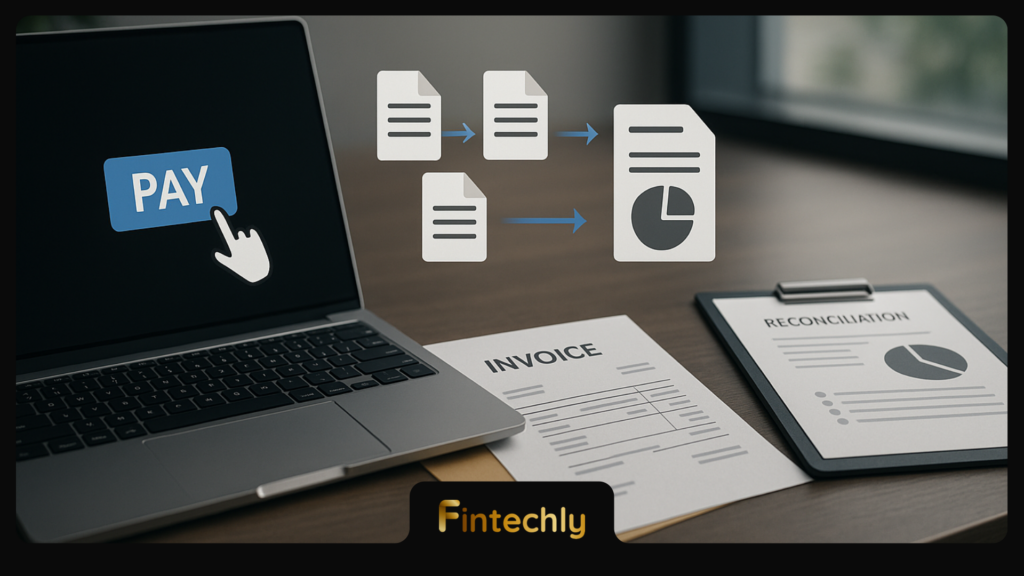
In b2b payment processing, the moment you click “Pay Invoice” is only the start. Behind the scenes, a chain of validations, message formats, bank rails, risk checks, and reconciliation steps determines whether the supplier gets paid quickly, whether the payment is correctly applied to the right invoice, and whether your finance team can close the books without manual cleanup.
This guide breaks down what happens after submission, which data fields actually matter (invoice metadata, references, remittance detail), and why “payment successful” on-screen doesn’t always mean “fully reconciled” in your ERP.
The B2B payment processing chain in one view
Most business invoice payments follow the same high-level pattern, even if the rail differs (ACH, wire, RTP, SEPA, card, or open-banking transfer):
- Initiation: payer creates a payment instruction (portal, ERP, bank UI, AP automation tool).
- Validation: format checks, bank details, limits, and approval policy.
- Authentication & authorisation: user identity plus permission to release funds.
- Clearing: payment messages are exchanged and accepted on a network/rail.
- Settlement: funds move between banks (or accounts) and become final.
- Notification: confirmations, status updates, and remittance data propagate.
- Reconciliation: payment is matched to invoice(s) and posted in ledgers.
- Exceptions: returns, recalls, chargebacks (for card), investigations.
Step-by-step: What happens after you click “Pay Invoice”
1) Payment initiation: turning an invoice into an instruction
When AP clicks “Pay,” your system compiles a payment instruction that typically includes:
- Who pays: payer account, legal entity, initiating user/app.
- Who gets paid: beneficiary name, bank account (IBAN/account number), routing details (BIC/SWIFT, sort code, ABA), and sometimes the beneficiary address.
- How much and when: amount, currency, value date, payment priority (standard/urgent).
- Why: invoice number(s), purchase order (PO), supplier ID, and remittance narrative.
This is also where the “shape” of the remittance detail is decided: a single invoice vs. one payment covering multiple invoices, early-payment discounts, partial payments, or netting scenarios.
2) Validation: format, data quality, and policy checks
Next, the instruction is validated. Some checks happen inside your AP/ERP tooling; others happen at the bank or payment provider:
- Bank detail validation: account format, routing code length, checksum (e.g., IBAN validation), beneficiary name alignment (where available).
- Sanity checks: currency/amount limits, duplicate detection, payment date rules.
- Approval workflow: maker-checker controls and delegated authority thresholds.
- Cut-off times: submission windows that determine whether you make same-day processing or roll to next day.
Even minor data issues (missing invoice references, inconsistent supplier IDs, truncated remittance text limits) can “pass” payment validation but later break reconciliation.
3) Authentication & authorisation: proving identity and permission
Before release, the user (or system account) must authenticate, and the organisation must authorise the payment based on policy. This is a control point for fraud prevention, especially for vendor change requests and business email compromise (BEC).
Security is not just about logging in; it’s also about protecting the integrations that move payment files and API calls. If you’re evaluating your exposure, the discussion in secure payment processing APIs is a useful starting point for thinking about how attackers target the seams between systems.
4) Routing: selecting the rail (ACH, wire, RTP, SEPA, card, open banking)
How the payment is routed determines speed, cost, reversibility, and the richness of remittance data:
- ACH / bank transfer (batch): cost-effective; typically slower; can be returned; remittance may be constrained.
- Wire: faster, higher cost, more final; best for high-value or urgent payments; investigations can be complex.
- Real-time payments: near-instant confirmation; strong for time-sensitive supplier payouts; requires good reference discipline because mistakes settle quickly.
- Card / virtual card: useful for certain suppliers; adds interchange and chargeback dynamics; reconciliation depends on statement and reference data.
- Open banking: account-to-account transfers initiated via regulated APIs; can improve confirmation and reduce manual steps in some markets. For a broader view, see open banking payments for business transfers.
Many modern platforms route dynamically: if the supplier supports rich remittance and instant confirmation, they choose a rail that maximises straight-through processing (STP); if not, they choose cost or coverage.
5) Clearing: the payment message is accepted by the network
Clearing is where participants exchange payment messages and agree that the payment is eligible for settlement. Depending on rail and geography, “clearing” may involve:
- Message validation and acceptance codes
- Queueing and netting (batch systems)
- Status updates and tracking references (some cross-border systems)
Message standards matter here. Many institutions are moving toward richer, structured payment data using the ISO 20022 messaging standard, which can improve remittance detail and reduce ambiguity in invoice references.
6) Settlement: funds become final (or “as good as final”)
Settlement is the actual movement of funds between banks (or between accounts on the same bank). “Finality” depends on the rail:
- Real-time rails: settlement can be immediate and irrevocable.
- Wires: generally settle quickly with strong finality, but errors can still lead to recalls or investigations.
- Batch transfers: settlement happens on a schedule; returns may occur afterward.
From an AP perspective, settlement timing affects cash forecasting, supplier satisfaction, and whether you can reliably offer early-payment discount programs.
7) Notifications: confirming payment status (and what “success” really means)
After processing, different parties receive different signals:
- Payer confirmation: “submitted,” “accepted,” “sent,” or “settled.”
- Beneficiary notice: “incoming payment,” “credited,” plus reference information.
- System-of-record updates: status messages back into ERP/AP platforms.
A key nuance: “submitted” is not “settled.” If your tooling only records the submit event, you may mark an invoice as paid before funds actually arrive, creating aging report inconsistencies and supplier disputes.
Operational takeaway: the best B2B payment operations teams reconcile on bank-confirmed status (settled/credited) and on reference quality, not just on “payment initiated.”
The data that matters most (and why it breaks reconciliation)
In B2B, the payment amount is rarely enough to reconcile. The “why” data is what reduces manual matching and supplier queries. Below are the high-impact data elements to get right.
Invoice metadata: the minimum viable set
For reliable matching, aim to store and transmit:
- Invoice number: exact supplier invoice ID; avoid truncation.
- Invoice date: helps disambiguate repeats and credit/rebill scenarios.
- Gross amount, discounts, tax: supports partial payments and discounting logic.
- Supplier identifier: internal vendor ID plus, where relevant, legal entity name.
- PO number or contract reference: essential for PO-driven organisations.
If your payment channel cannot carry multiple invoice numbers, consider sending structured remittance advice separately (email, portal, EDI, or supplier network) and storing a shared reference key in both systems.
Payment references: structured beats free text
Most payment failures in reconciliation are not “missing money” problems—they’re “missing meaning” problems. References typically fall into:
- End-to-end reference: a unique identifier you generate and keep constant across systems.
- Bank/rail reference: assigned by the bank/network; useful for investigations.
- Remittance information: invoice list and narrative; quality varies by rail.
Where possible, prefer a single, unique end-to-end ID that you carry from invoice approval through bank statement line items. This becomes the backbone for automation and auditability.
Remittance data: where “paid” becomes “applied”
Suppliers need to apply the cash to the right receivable. If they can’t, you get the classic email: “We received your payment, but we can’t identify what it’s for.” That delays credit release and can even lead to duplicate payments.
Well-structured remittance data should support:
- One payment to many invoices (with exact invoice IDs)
- Partial payments and short pays (with reason codes)
- Credit note netting (invoice-credit mapping)
- Dispute deductions (linking to case ID)
Reconciliation: the final mile that determines operational cost
Reconciliation is the process of matching bank activity to internal records (invoices, bills, accruals) and posting the right accounting entries. It typically splits into two layers:
- Cash reconciliation: does the outgoing payment match a bank debit (amount, date, reference)?
- Invoice reconciliation: does that bank debit close the correct invoice(s) in AP and reflect the correct GL coding?
Why B2B reconciliation often fails (even when the payment is correct)
Common failure modes include:
- Reference truncation: a rail or bank channel limits characters, chopping off invoice lists.
- Inconsistent IDs: AP uses one supplier ID; treasury/bank uses another naming convention.
- Aggregated payments: one payment covers multiple invoices but only one is referenced.
- Timing differences: invoice marked “paid” at initiation; bank debit appears later.
- Returns and repairs: formatting issues trigger rejects, then resubmissions create duplicates.
If you want a conceptual refresher on how these “funds flow” stages map to business outcomes, the breakdown in payments operations and money movement can help you frame where errors arise and who owns each step.
Exceptions: rejects, returns, recalls, and investigations
No matter how clean your process is, exceptions happen. Understanding them is part of good b2b payment processing design.
Rejections vs. returns
A practical distinction:
- Rejection: the payment is not accepted for processing (bad formatting, missing fields, invalid routing). You usually see this quickly.
- Return: the payment was processed but later sent back (closed account, invalid beneficiary, regulatory or compliance-related reasons). Returns may arrive days later depending on the rail.
Recalls and disputes
Wires may allow recall requests, but success isn’t guaranteed. Card-based flows introduce chargebacks and dispute workflows. Cross-border payments can also require message-based investigations, where a bank/rail reference is essential for tracing.
For tracking improvements in cross-border status transparency, SWIFT gpi payment tracking is one example of an industry initiative focused on better visibility.
Risk, compliance, and fraud controls embedded in the chain
Business payments are a target because they are high value and operationally “normal” (vendors expect to be paid). Controls typically include:
- Beneficiary change verification: especially for bank detail updates.
- Anomaly detection: unusual amounts, new beneficiaries, changed timing patterns.
- Sanctions and screening: depending on jurisdiction and payment type.
- Audit trails: immutable logs of who approved what and when.
As payment stacks add more APIs and integrations, the attack surface grows, making security and financial crime controls a joint responsibility across AP, treasury, and IT. For more depth on operational controls, see preventing financial crime in payment ecosystems.
A practical checklist: how to improve invoice-to-cash matching
If you’re trying to reduce manual reconciliation and supplier emails, prioritise the following:
- Generate a unique end-to-end reference per payment and store it everywhere (invoice, approval record, bank instruction, statement line).
- Standardise invoice identifiers (exact invoice number formatting, avoid extra prefixes that differ by system).
- Send structured remittance when paying multiple invoices; don’t rely on a single free-text field.
- Reconcile on bank-confirmed status (settled/credited), not initiation.
- Define exception workflows (return handling, duplicate detection, supplier outreach templates).
- Monitor data quality KPIs like “payments missing invoice reference,” “unapplied cash,” and “manual matches per 1,000 payments.”
FAQs
Why can’t my supplier match our payment to an invoice?
Usually because the payment arrived with insufficient or ambiguous remittance information (missing invoice number, truncated reference, or one payment covering multiple invoices without a list). Improving structured references and using a stable end-to-end ID significantly reduces unapplied cash.
Is “payment processed” the same as “payment settled”?
No. “Processed” often means the instruction was accepted and sent into a rail. “Settled” means funds movement is completed with the finality rules of that rail. For accounting and supplier communications, settlement (or credited status) is the safer trigger.
What’s the most important data field for B2B payment processing automation?
If you have to pick one, use a unique end-to-end reference that is consistently carried from invoice approval through bank statement reporting. It becomes the anchor for automated matching, exception handling, and audit trails.
Do real-time payments eliminate reconciliation work?
They can reduce timing uncertainty and give faster confirmation, but they don’t automatically solve remittance quality. If the reference data is poor, you can still end up with unapplied cash—just faster.
Conclusion: treat payment data as part of the payment
B2B payments aren’t only about moving funds—they’re about moving meaning alongside the money so both sides can post the transaction correctly. When you design b2b payment processing with structured invoice metadata, durable references, and clear status handling, you reduce exceptions, accelerate month-end close, and make “Pay Invoice” a truly end-to-end event rather than the start of another manual chase.